

 Buy
Buy 






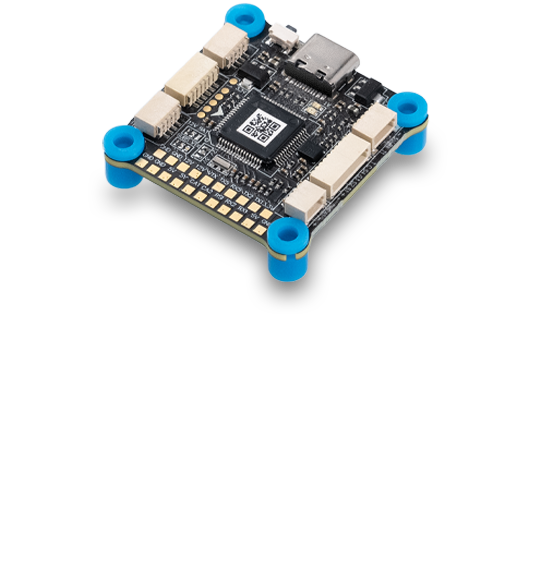
MULTIROTOR


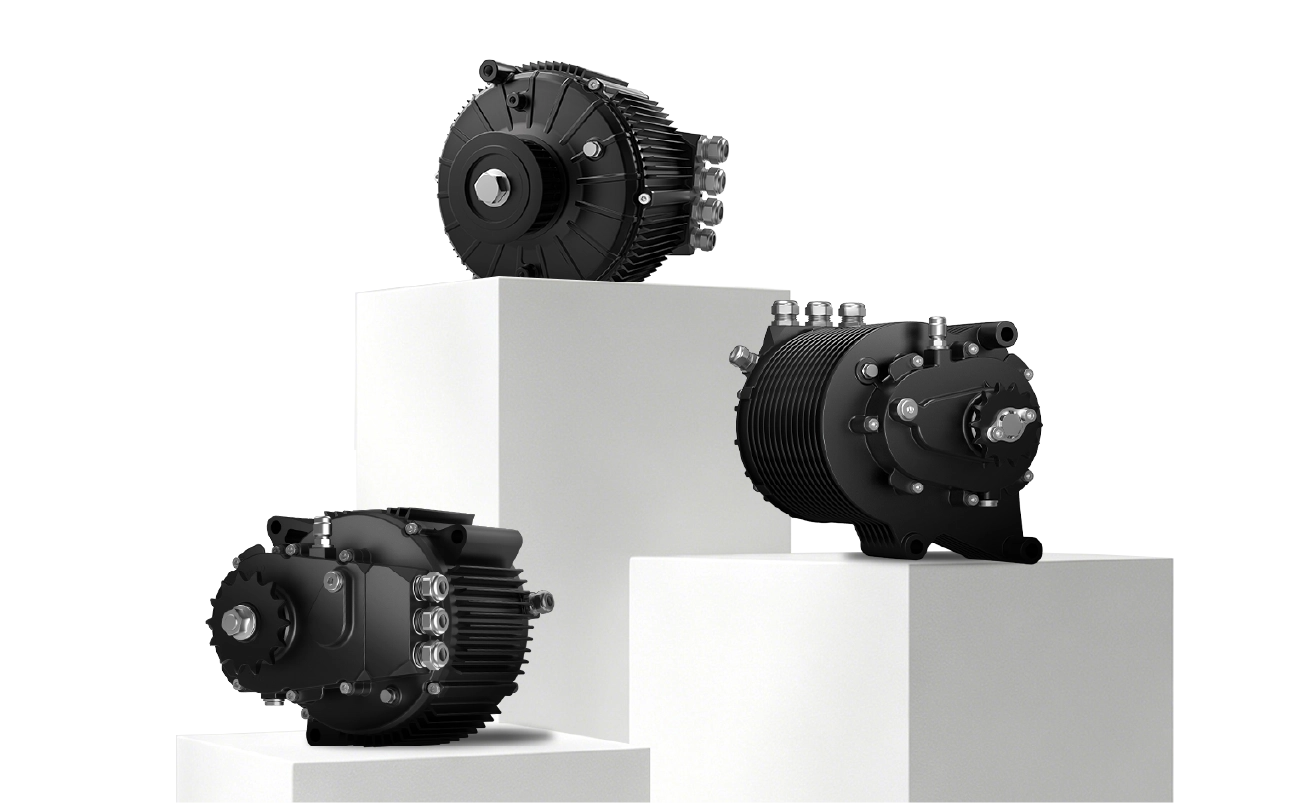
Innovation and Performance for a simplified assembly.
Superior efficiency, exceptional stability.
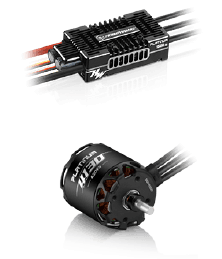
VTOL
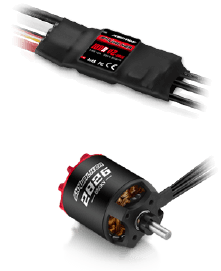
FIXED WING
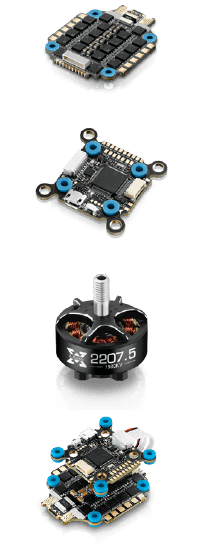
FPV



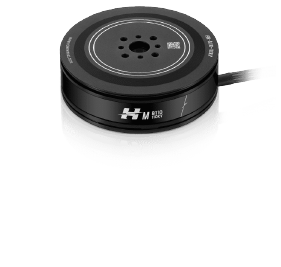



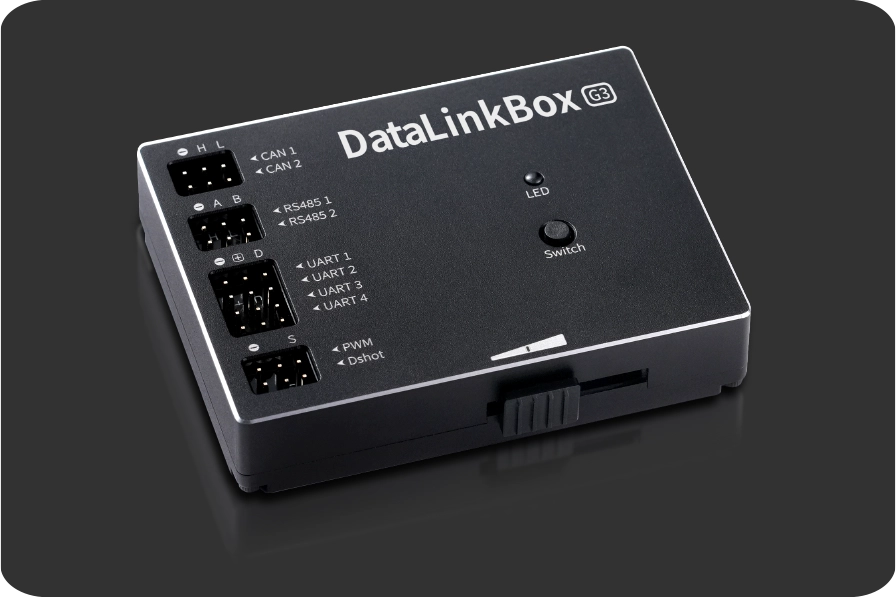
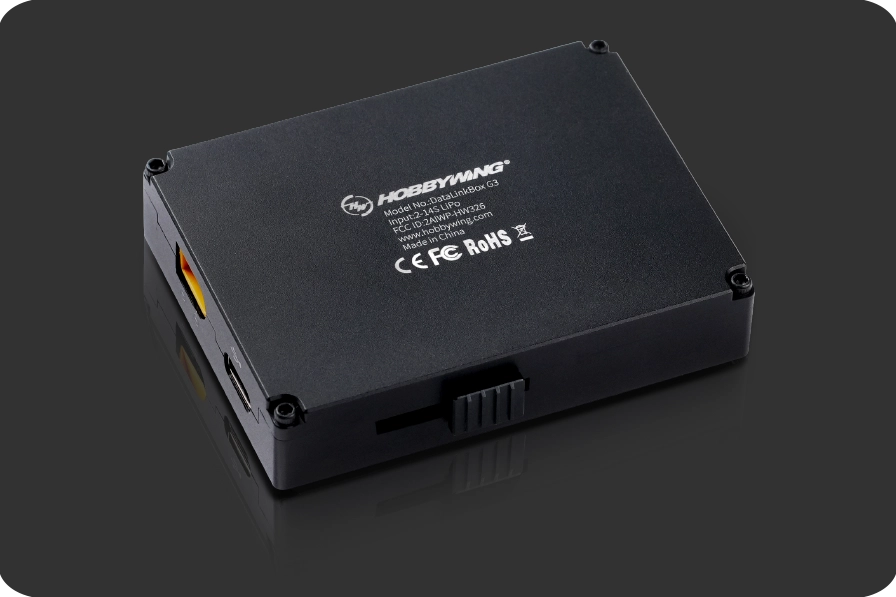



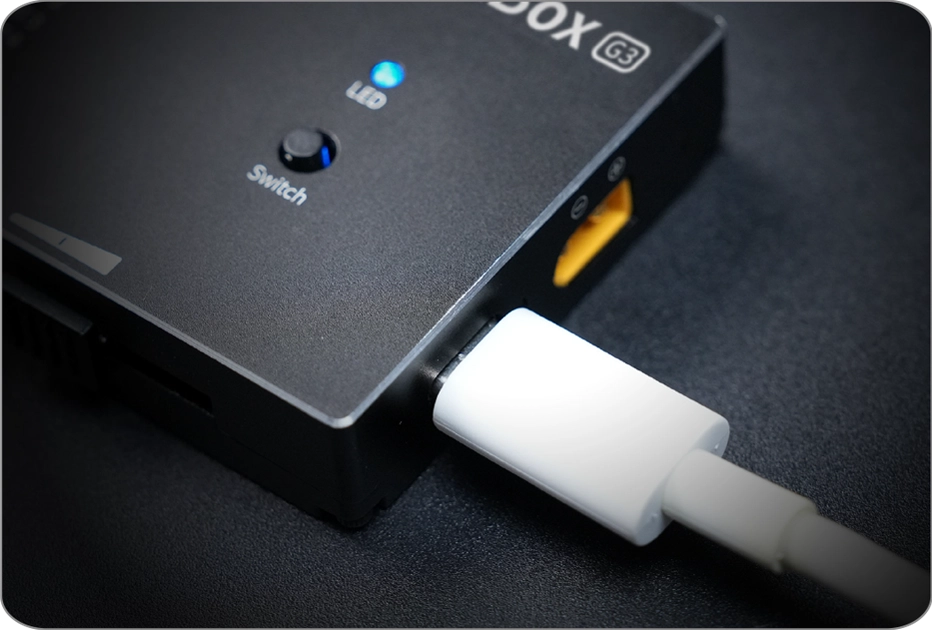
When used for ground-based parameter tuning, it is recommended to keep a communication distance within 10m for stable transmission.

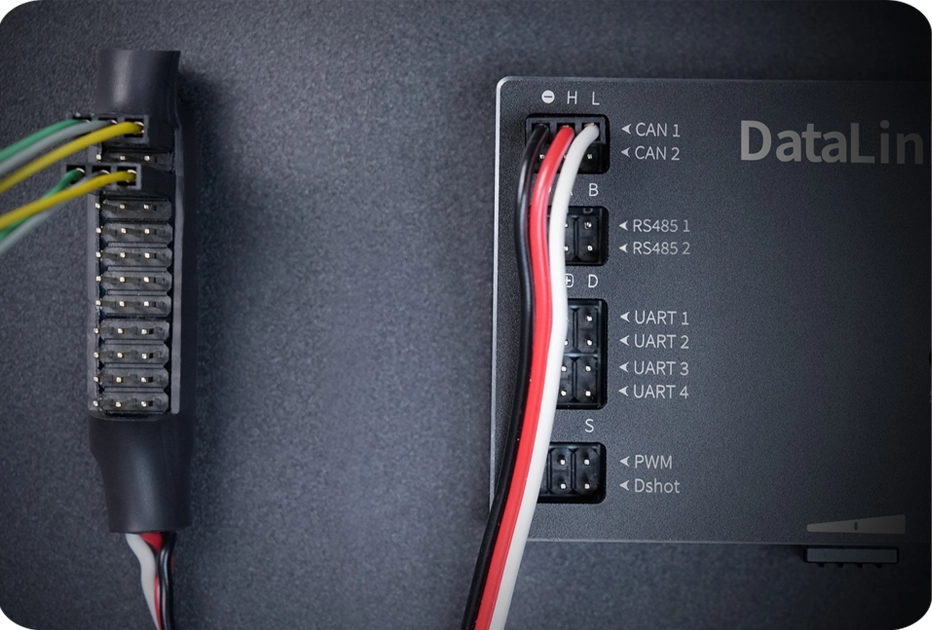
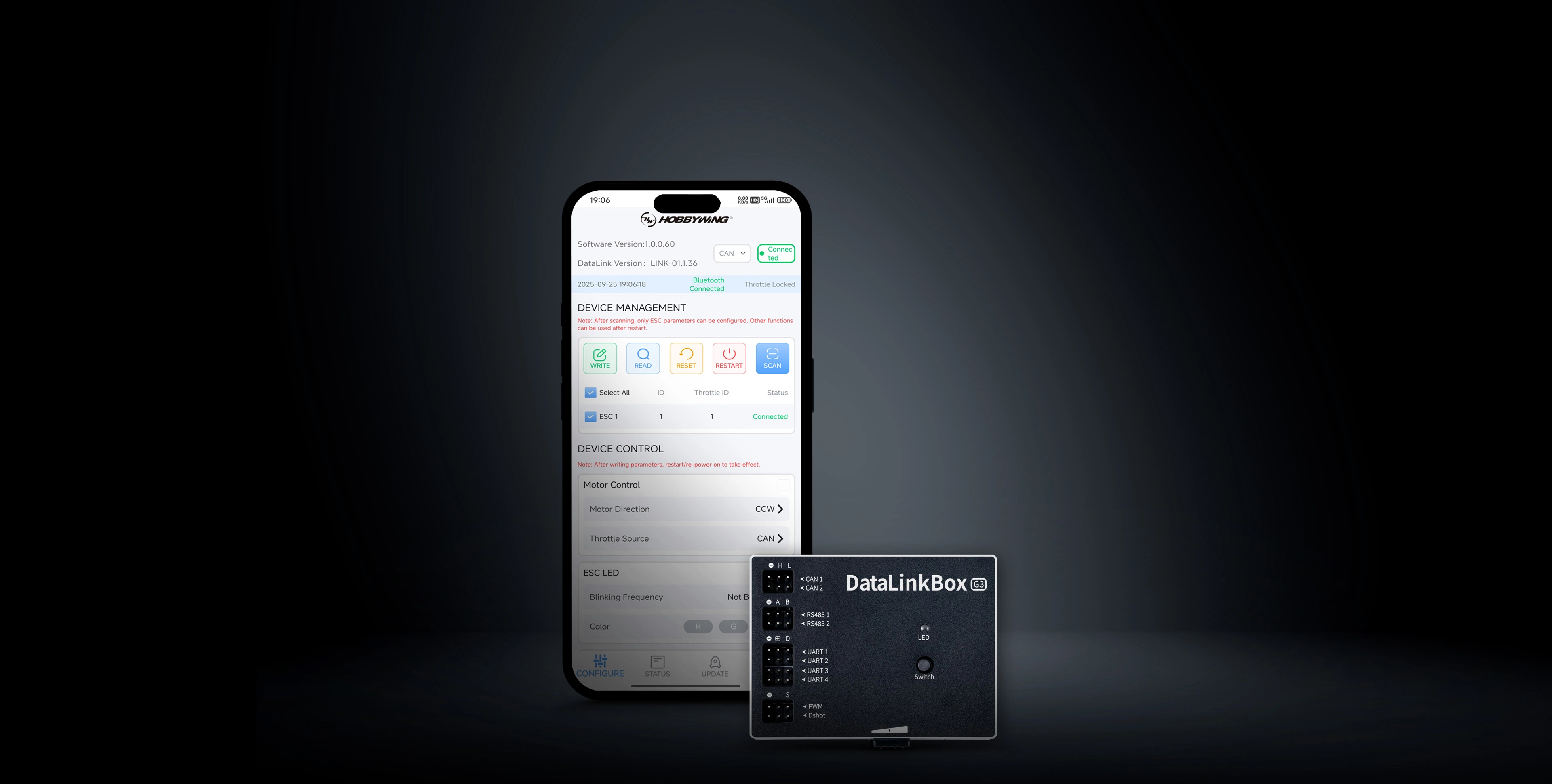
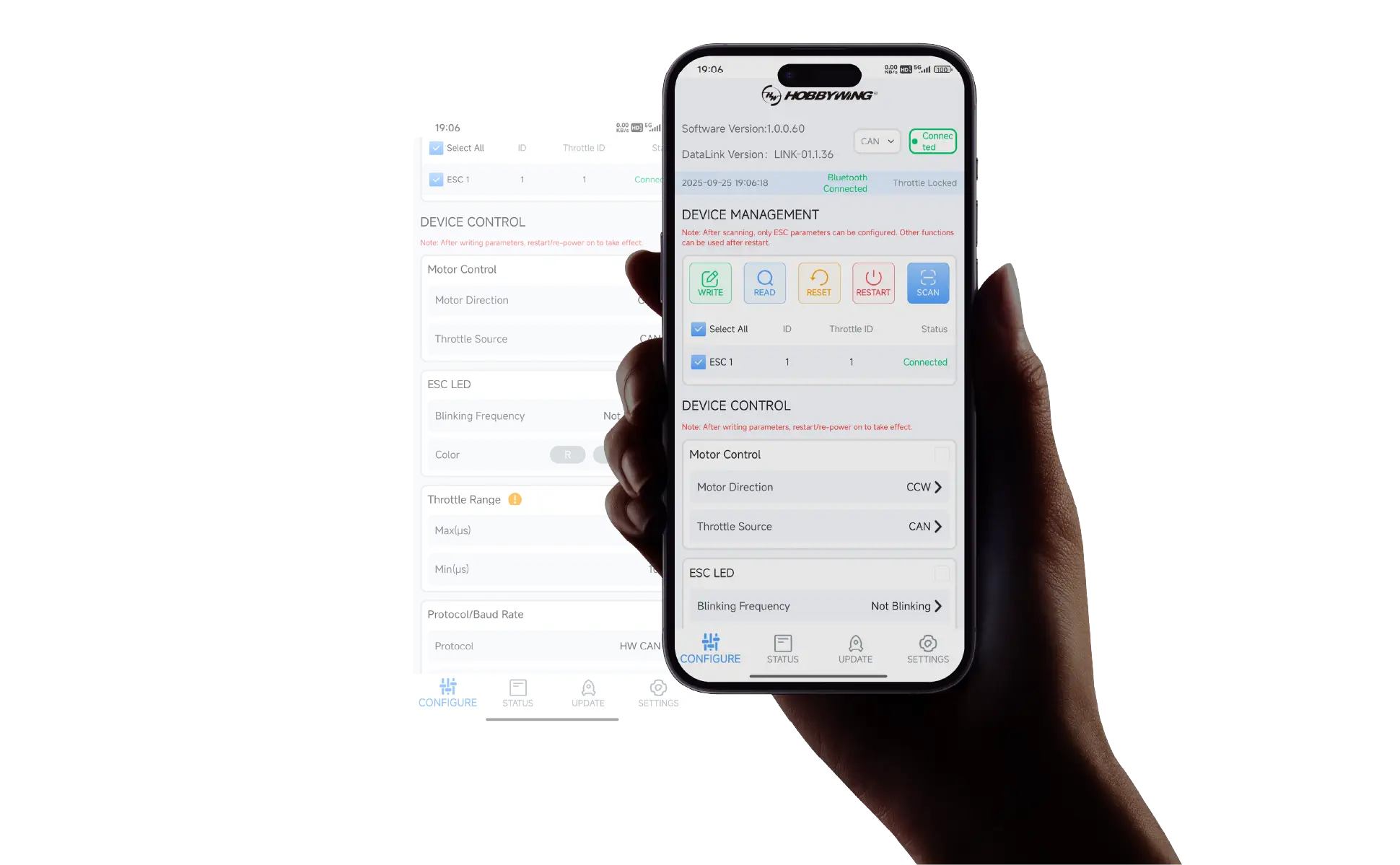
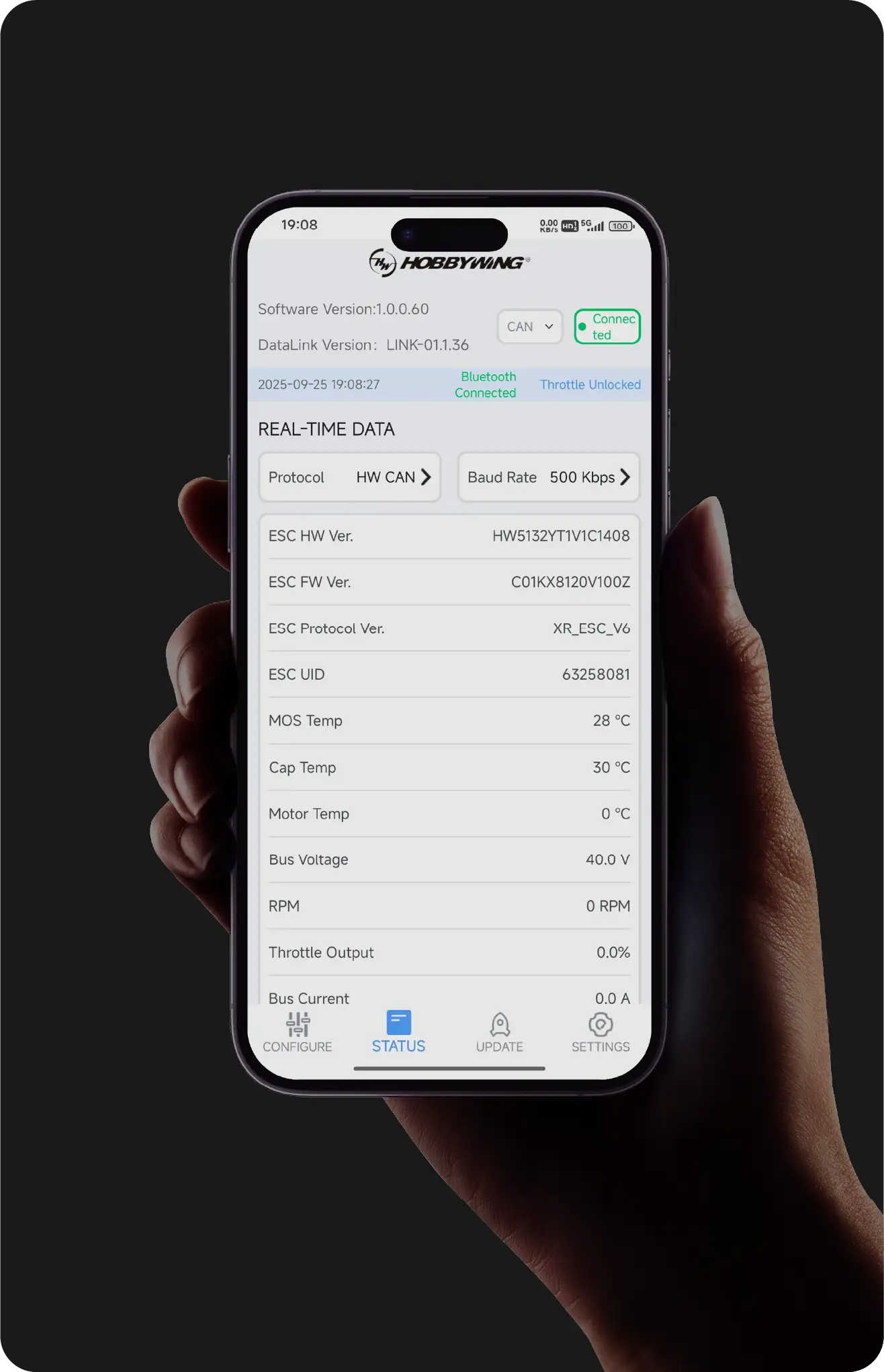
The App provides full parameter configuration,
meeting daily setting requirements.
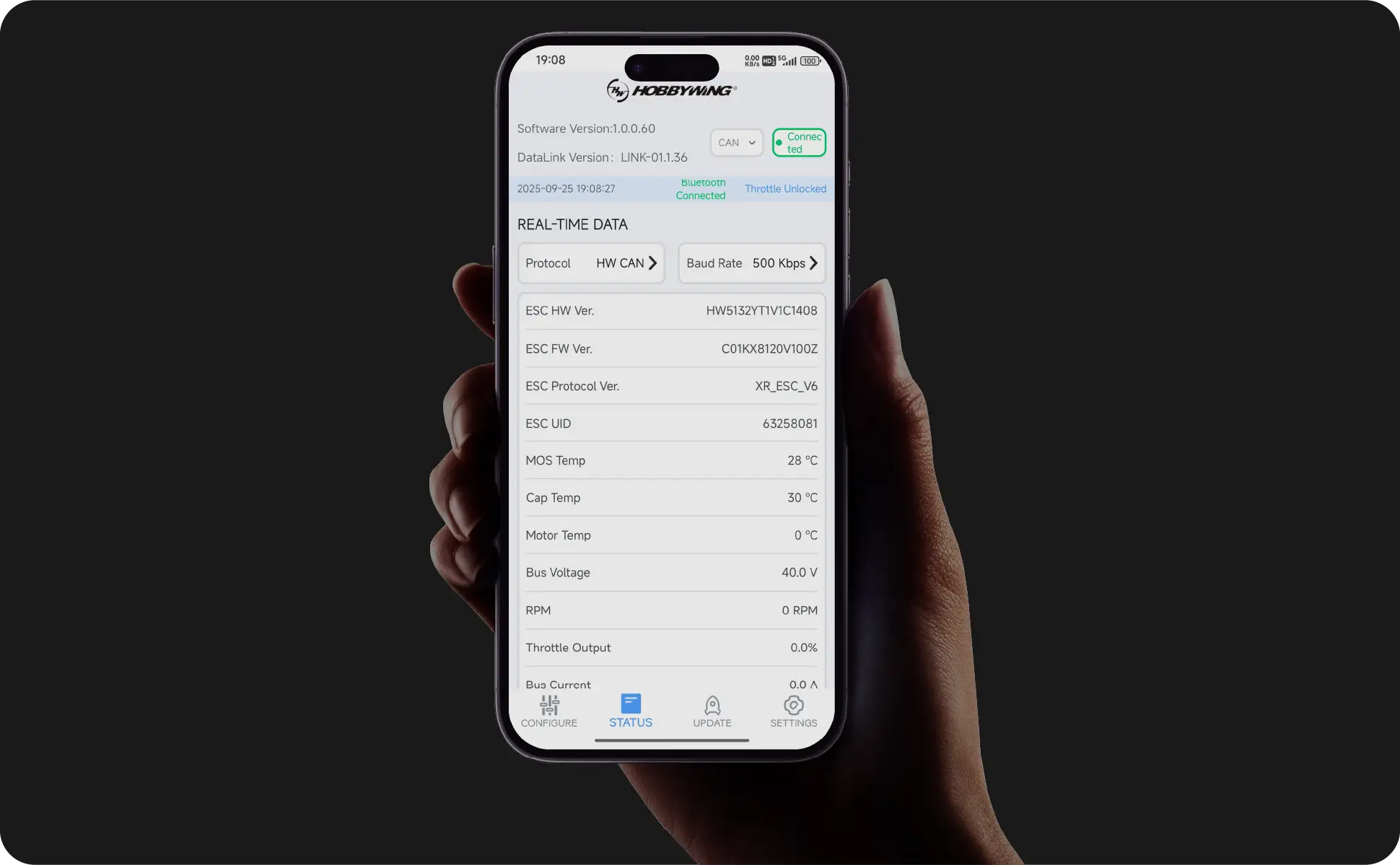
The status page delivers real-time device and fault information,
keeping system operation fully in control.
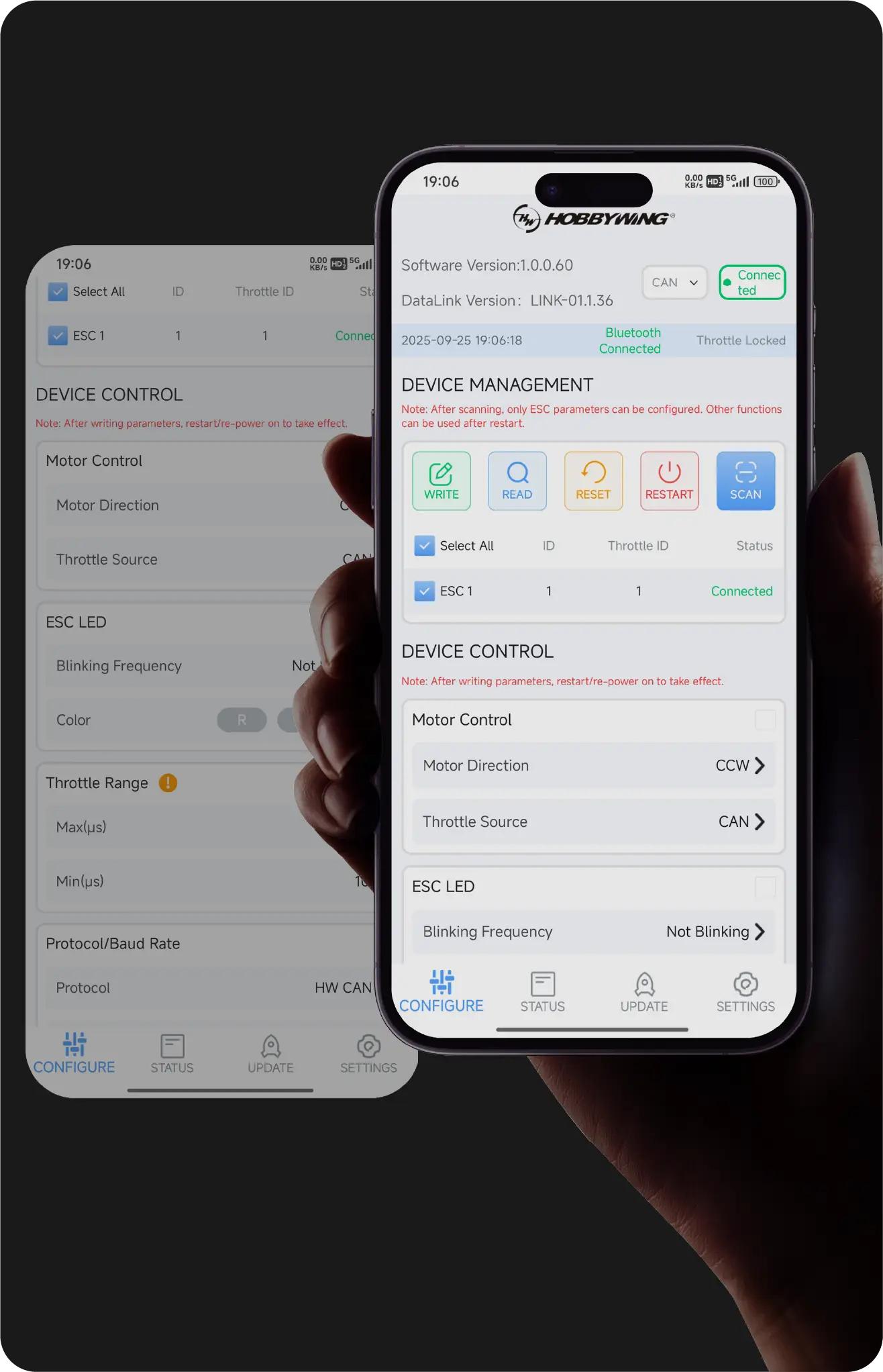
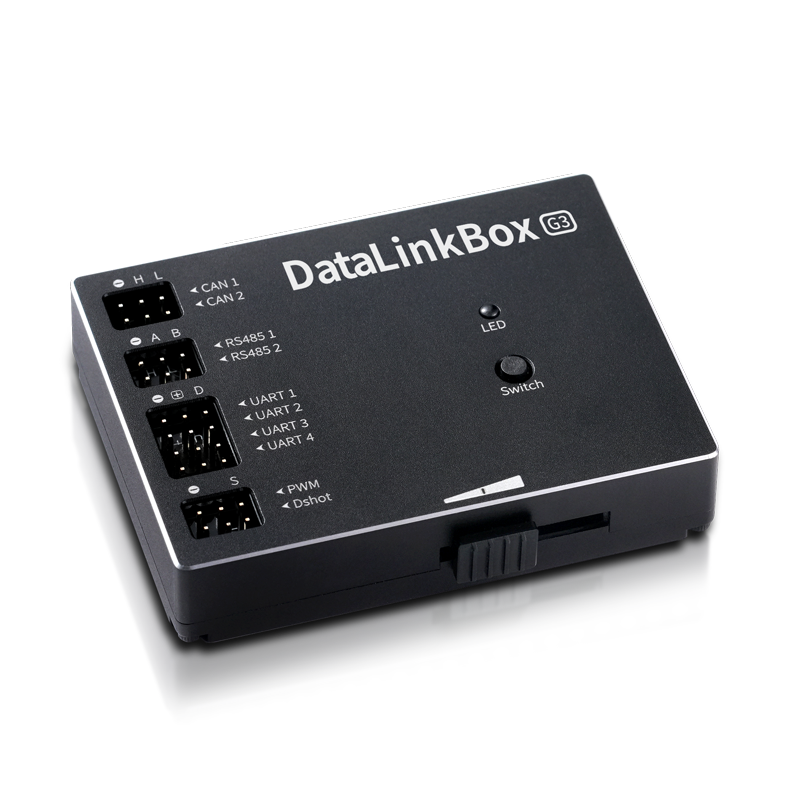
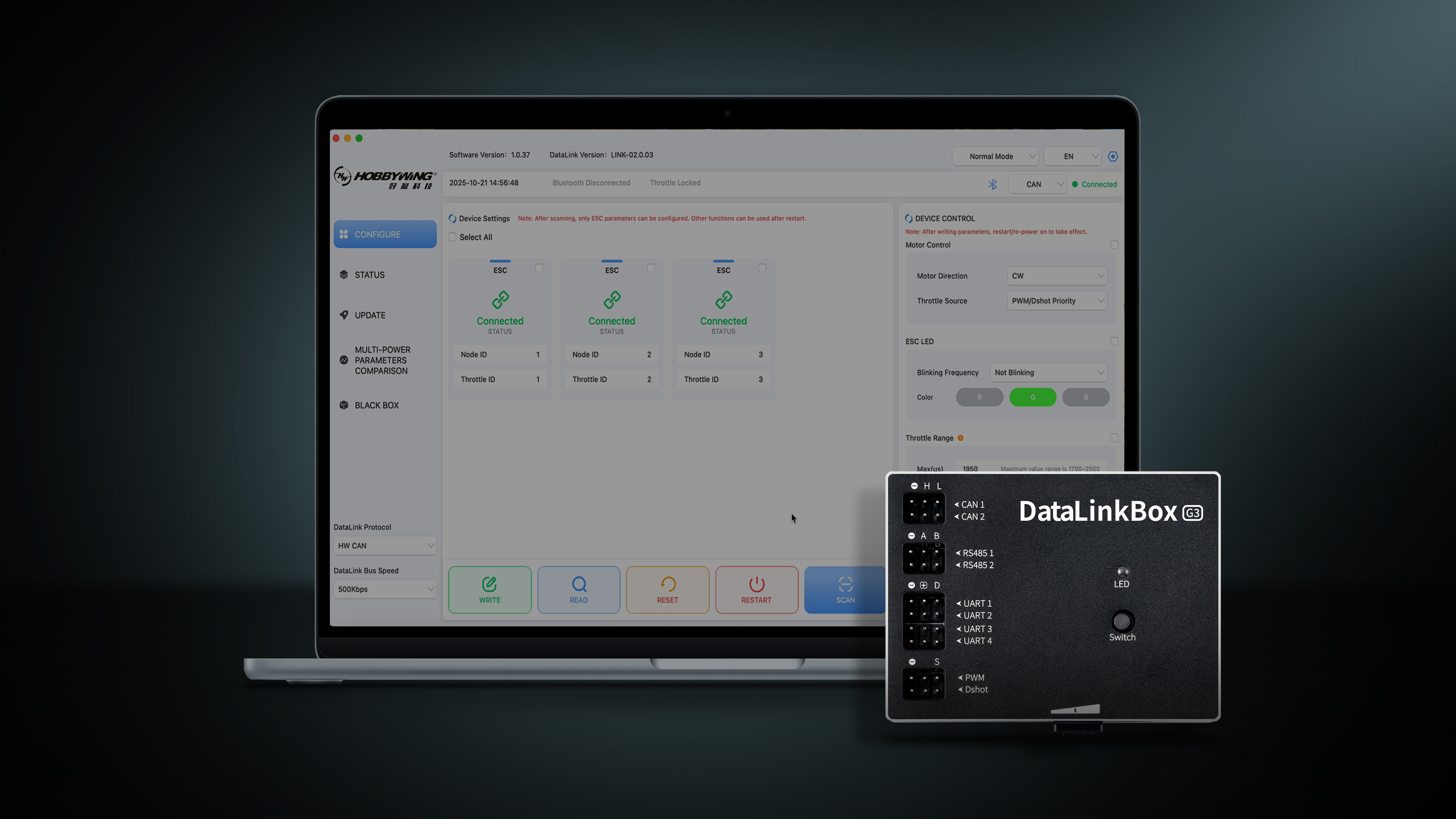
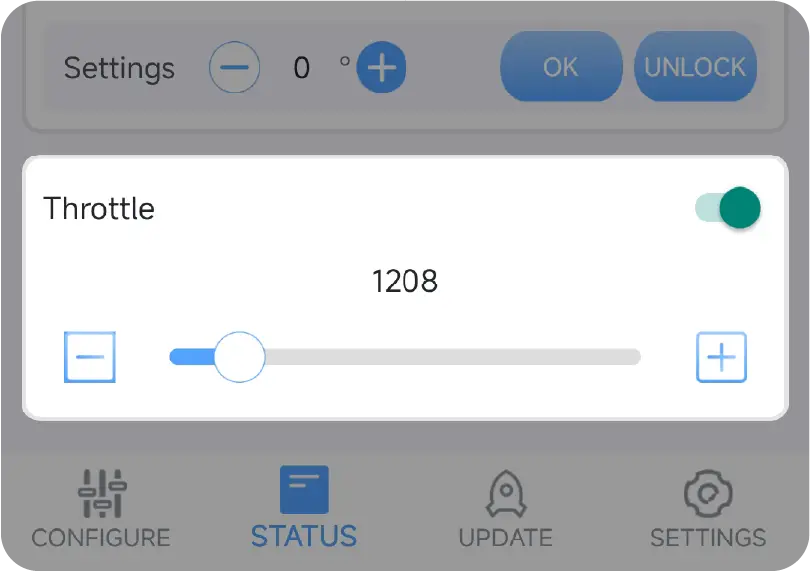
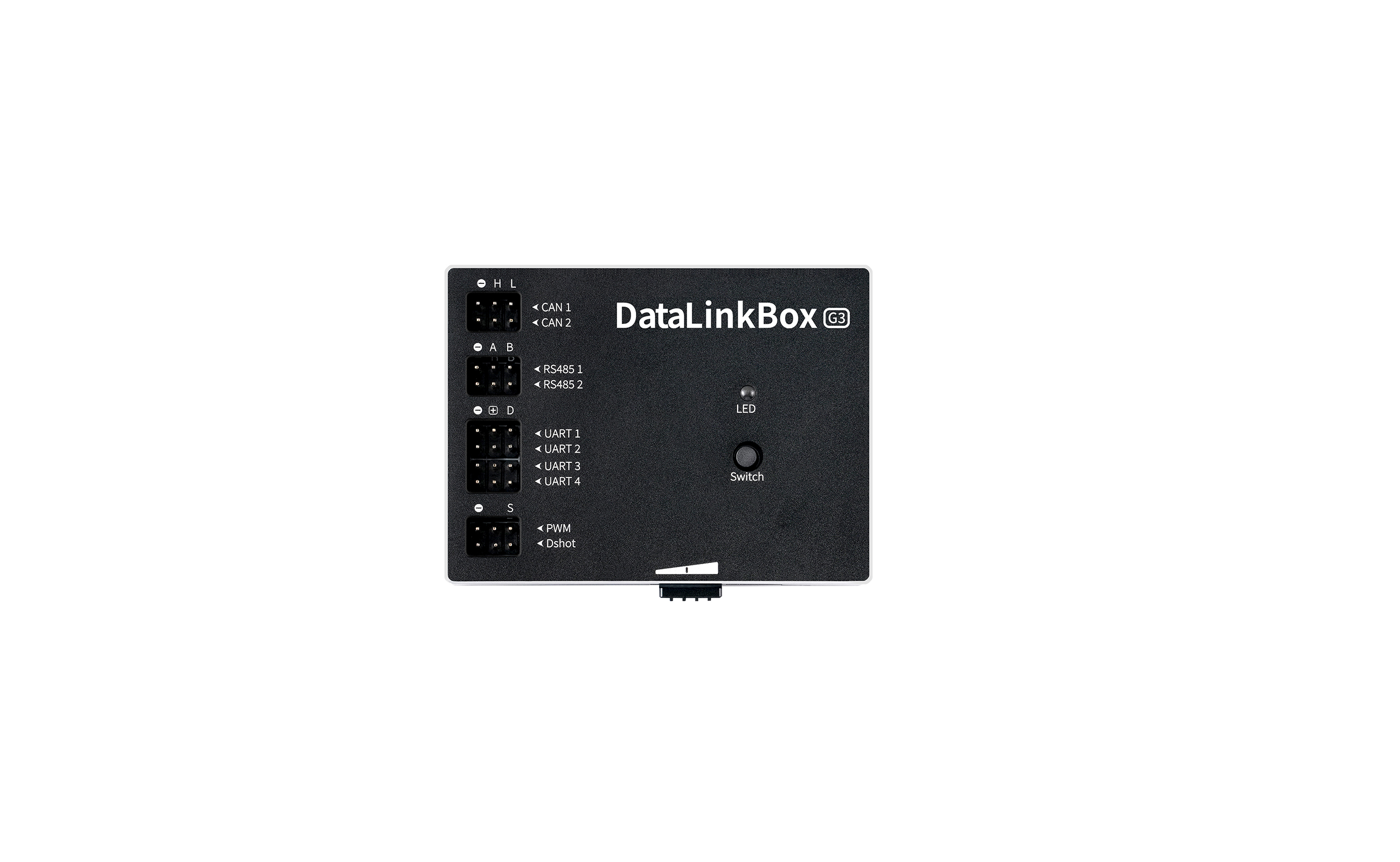
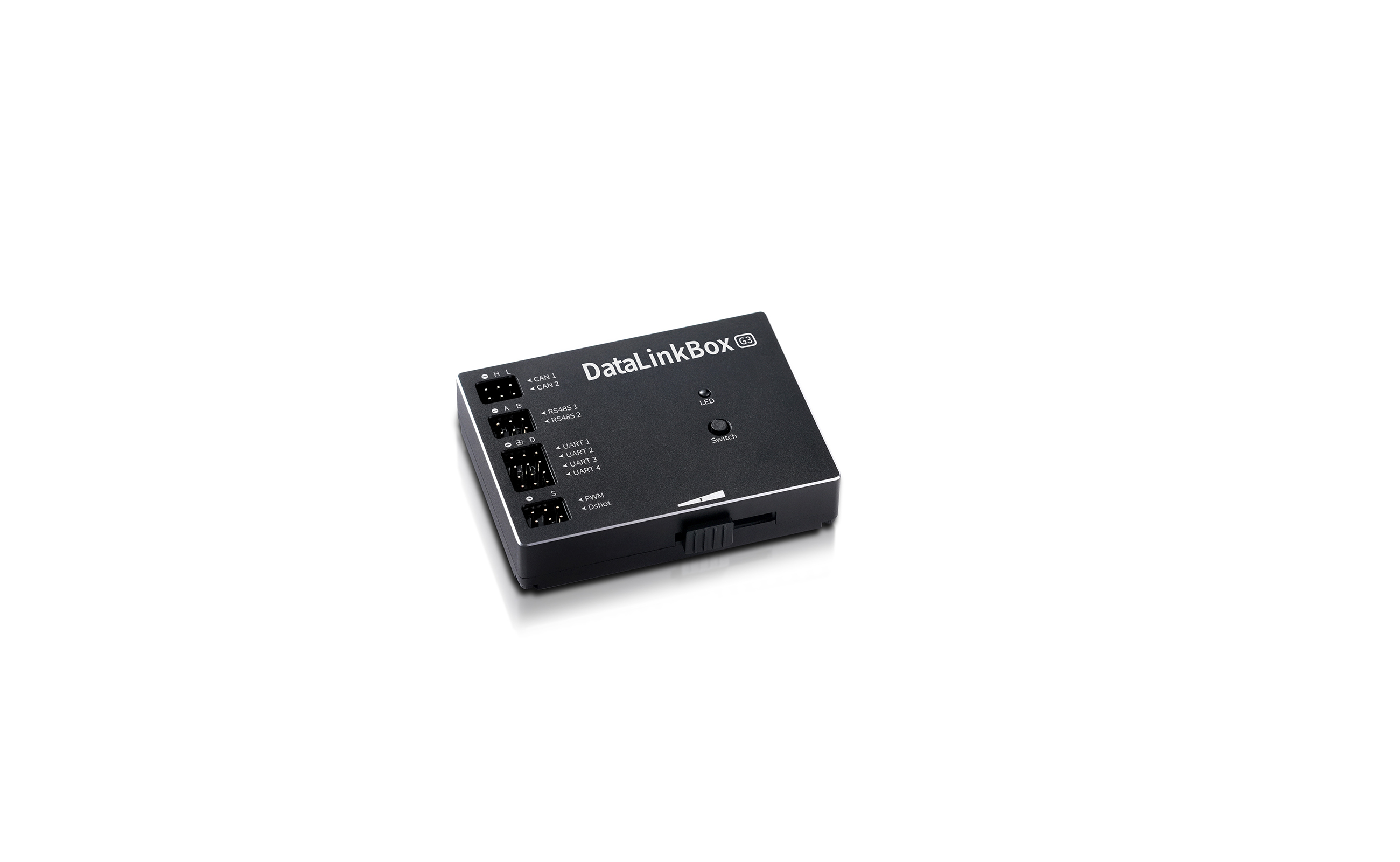
DataLinkBox G3 has added a throttle tuning output function, enabling power adjustment in one device.
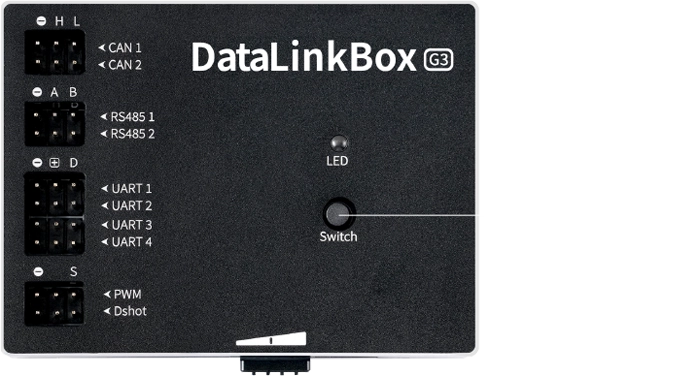
It supports PWM analog and CAN digital throttles, plus new RS485 and Dshot throttles.
A dual-channel throttle lock control is available,
by which you can slide to output the corresponding throttle stroke signal after unlocking.


 Brand-New Upgrade
 Cloud Service
An all new refreshed used experience makes setup effortless.
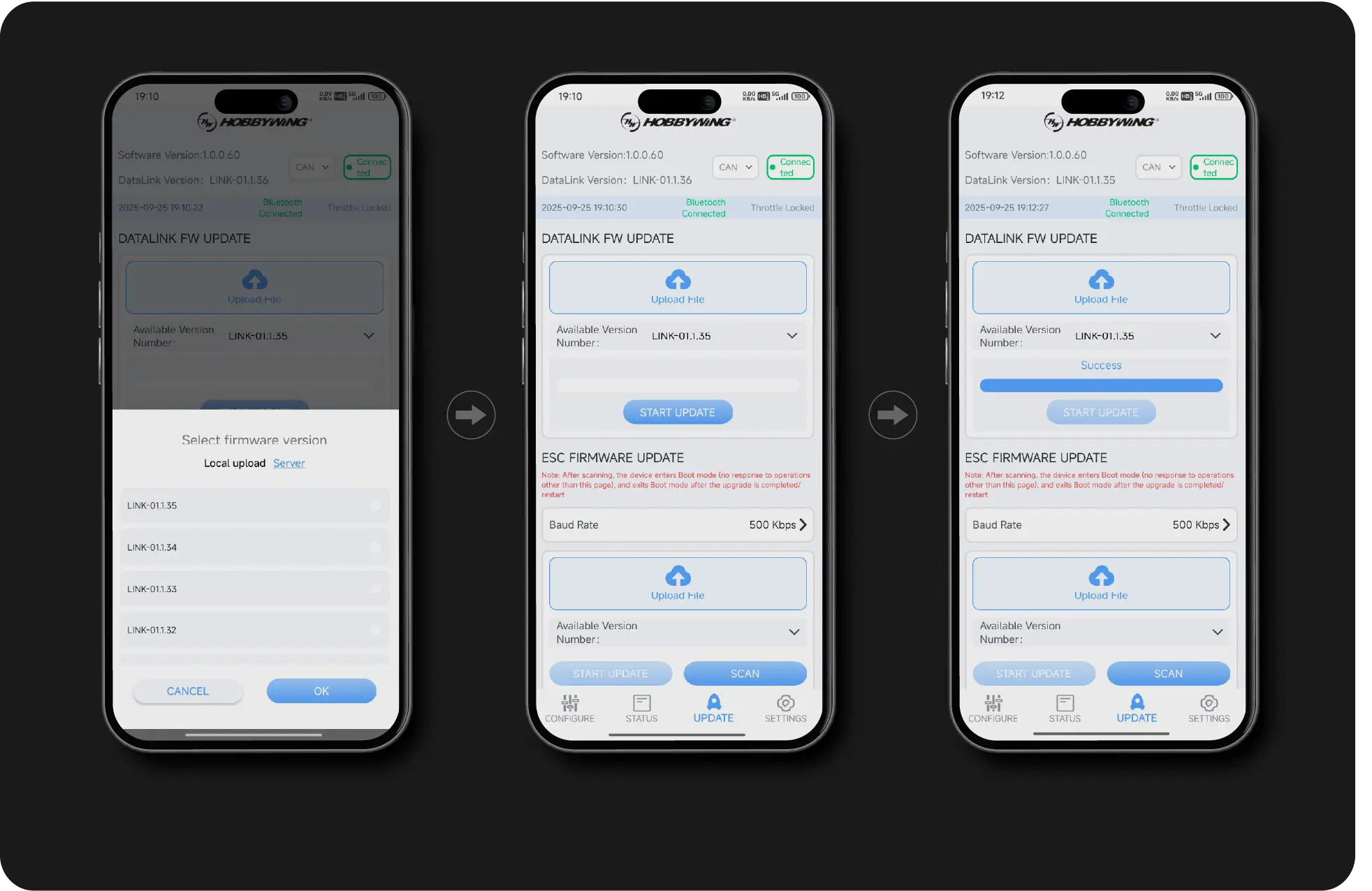
DataLinkBox G3 comes with the new cloud service,
allowing users to download firmware updates from the cloud
without manual transfer, making upgrades easier and more convenient than ever.

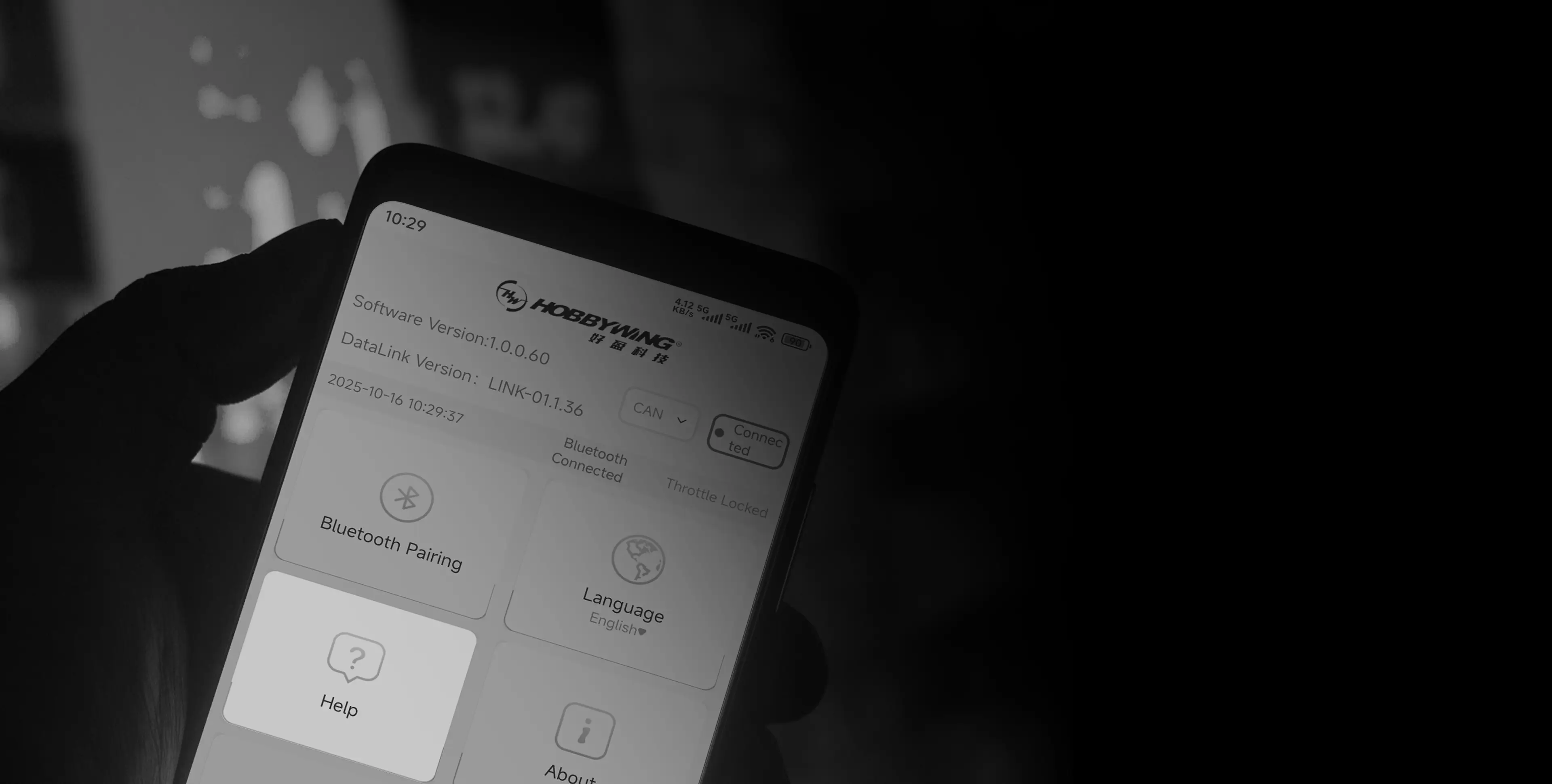
The Brand-new Help Center covers the operation details of
all functions. Users can view tutorials to quickly solve small
technical difficulties. Additionally, the system features a
built-in intelligent pop-up prompt to guide users to mediate
for commonly caused user errors.
The HOBBYWING Help Center ensures you receive the
necessary support to provide a smoother and worry-free
user experience.
| NO. | Model | DataLink Version | Update Date |
|---|---|---|---|
| 1 | XRotor Pro H150A 24S FOC | DataLinkBox G3 | To be updated |
| 2 | XRotor Pro H120A 14S FOC | DataLinkBox G3 | To be updated |
| 3 | XRotor Pro H100A 14S FOC | DataLinkBox G3 | To be updated |
| 4 | XRotor Pro H60A 24S FOC | DataLinkBox G3 | To be updated |
| 5 | XRotor Pro H60A 14S BLDC(*2in1 Version) | DataLinkBox G3 | To be updated |
| 6 | XRotor Pro H60A 14S FOC (*2in Version) | DataLinkBox G3 | To be updated |
| NO. | Model | DataLink Version | Update Date |
| 1 | XRotor Pro H300A 24S BLDC G3/ BLDC IPC G3 / XRotor Pro H300A 24S FOC G2 | DataLinkBox G3 | Finished |
| 2 | XRotor Pro H200A 24S BLDC/ BLDC IPC / XRotor Pro H200A 24S FOC | DataLinkBox G3 | Finished |
| 3 | XRotor Pro H200A 14S BLDC BLDC IPC /XRotor Pro H200A 14S FOC | DataLinkBox G3 | Finished |
| 4 | XRotor Pro H130A 14S BLDC / BLDC IPC /XRotor Pro H130A 14S FOC | DataLinkBox G3 | Finished |
| 5 | XRotor Pro H110A 14S BLDC / BLDC IPC/XRotor Pro H110A 14S FOC | DataLinkBox G3 | Finished |
| 6 | XRotor Pro H80A 14S BLDC / BLDC IPC /XRotor Pro H80A 14S FOC | DataLinkBox G3 | Finished |
| 7 | XRotor Pro H60A 14S BLDC / BLDC IPC XRotor Pro H60A 14S FOC | DataLinkBox G3 | Finished |
| 8 | XRotor Pro H60A 6S FOC / XRotor Pro H60A 6S BLDC | DataLinkBox G3 | Finished |
| 9 | XRotor Pro H200A 14S BLDC CN /XRotor Pro H200A 14S FOC CN | DataLinkBox G3 | Finished |
| 10 | XRotor Pro H130A 14S BLDC CN | DataLinkBox G3 | Finished |
| 11 | XRotor Pro H130A 14S FOC CN | DataLinkBox G3 | Finished |
| NO. | Model | DataLink Version | Update Date | ||
|---|---|---|---|---|---|
| 1 | X6 Plus | DataLinkBox G3 | Not supported | ||
| 2 | X8 | DataLinkBox G3 | Not supported | ||
| 3 | X9 | DataLinkBox G3 | Not supported | ||
| 4 | X9 Plus | DataLinkBox G3 | Not supported | ||
| 5 | X9 Max | DataLinkBox G3 | Not supported | ||
| 6 | X11-14S | DataLinkBox G3 | Not supported | ||
| X11-18S | DataLinkBox G3 | Not supported | |||
| 7 | X11 Plus | DataLinkBox G3 | Not supported | ||
| 8 | X11 Max | DataLinkBox G3 | Not supported | ||
| 9 | X13-14S | DataLinkBox G3 | Not supported | ||
| X13-18S | DataLinkBox G3 | Not supported | |||
| 10 | H6M | DataLinkBox G3 | Not supported | ||
| 11 | H8M | DataLinkBox G3 | Not supported | ||
| 12 | H11MD | DataLinkBox G3 | Not supported | ||
| NO. | Model | DataLink Version | Update Date | ||
| 1 | X6 SE | DataLinkBox G3 | Finished | ||
| 2 | X15-14S | DataLinkBox G3 | Finished | ||
| X15-18S | DataLinkBox G3 | ||||
| 3 | H13MD | DataLinkBox G3 | Finished | ||
| 4 | H15MD Series | DataLinkBox G3 | Finished | ||
| 5 | P50M | DataLinkBox G3 | Finished | ||
| 6 | P65M | DataLinkBox G3 | Finished | ||
| 7 | P65V | DataLinkBox G3 | Finished | ||
| 8 | P85M | DataLinkBox G3 | Finished | ||
| 9 | P115M | DataLinkBox G3 | Finished | ||
| G2 Series | |||||
| 1 | X6 Plus G2 | DataLinkBox G3 | Finished | ||
| 2 | X8 G2 | DataLinkBox G3 | Finished | ||
| 3 | X9 G2L | DataLinkBox G3 | Finished | ||
| 4 | X9 Plus G2L | DataLinkBox G3 | Finished | ||
| 5 | X11 G2 | DataLinkBox G3 | Finished | ||
| 6 | X13 G2 | DataLinkBox G3 | Finished | ||
| 7 | X15 G2 | DataLinkBox G3 | Finished | ||

The purpose of this website is only to introduce you to the basic situation of HOBBYWING company and product information. Unless otherwise stated, all information provided on this website should not be regarded as an offer or acceptance, and this website will not assume any binding obligations to you as a result of the provision of information. For all your requests, HOBBYWING reserves the full right to decide whether to commit or not.
This Website and its contents are provided for your convenience on an "as is" basis and your use of this Website is at your sole risk. HOBBYWING does not guarantee that this website will be uninterrupted or error-free, and reserves the right to amend this website or withdraw access to this Website at any time. We make no warranties, express or implied, as to the content, existence, accuracy or reliability of this Website, including, but not limited to, warranties of title, non-infringement or implied warranties of merchantability or fitness for a particular purpose or use.
HOBBYWING shall not be liable for any direct, indirect, incidental, special or consequential damages, loss of profits or business interruption caused by the use or inability to use the services provided by the Website, even if HOBBYWING has been advised of the possibility of similar losses. The exclusions and limitations of the warranty liability of HOBBYWING shall be effective to the extent permitted by applicable law.
HOBBYWING shall not be liable for any damage or loss to your computer system or any other software, hardware, IT system or property caused by viruses or other destructive programs caused by accessing, viewing and using this website or downloading any content from this Website (including but not limited to 2D model files, 3D model files).
HOBBYWING shall not be liable for any direct or indirect damage or loss caused by any third party using illegal means to access the website to obtain the relevant passwords, information and content.
If you or your company is located in the United States or Canada, you need to fill out this disclaimer confirmation letter online and submit it successfully before you can download the relevant materials you are interested in. The link address you fill in online is https://www.hobbywingdirect.com/pages/digital-file-release-form
If you do not agree with this disclaimer, please do not continue to this page. If you continue to access, browse and use this interface, you have read, understood and agreed to be bound by this statement and comply with all applicable laws and regulations.
HOBBYWING reserves the right to correct, modify and update this statement at any time.

When used for ground-based parameter tuning, it is recommended to keep a communication distance within 10m for stable transmission.
The App provides full parameter configuration,
meeting daily setting requirements.
The status page delivers real-time device and fault information,
keeping system operation fully in control.
DataLinkBox G3 has added a throttle tuning output function, enabling power adjustment in one device.
It supports PWM analog and CAN digital throttles, plus new RS485 and Dshot throttles.
A dual-channel throttle lock control is available,
by which you can slide to output the corresponding throttle stroke signal after unlocking.
Brand-New UpgradeCloud ServiceAn all new refreshed used experience makes setup effortless.
DataLinkBox G3 comes with the new cloud service,
allowing users to download firmware updates from the cloud
without manual transfer, making upgrades easier and more convenient than ever.
The Brand-new Help Center covers the operation details of
all functions. Users can view tutorials to quickly solve small
technical difficulties. Additionally, the system features a
built-in intelligent pop-up prompt to guide users to mediate
for commonly caused user errors.
The HOBBYWING Help Center ensures you receive the
necessary support to provide a smoother and worry-free
user experience.
| NO. | Model | DataLink Version | Update Date |
|---|---|---|---|
| 1 | XRotor Pro H150A 24S FOC | DataLinkBox G3 | To be updated |
| 2 | XRotor Pro H120A 14S FOC | DataLinkBox G3 | To be updated |
| 3 | XRotor Pro H100A 14S FOC | DataLinkBox G3 | To be updated |
| 4 | XRotor Pro H60A 24S FOC | DataLinkBox G3 | To be updated |
| 5 | XRotor Pro H60A 14S BLDC(*2in1 Version) | DataLinkBox G3 | To be updated |
| 6 | XRotor Pro H60A 14S FOC (*2in Version) | DataLinkBox G3 | To be updated |
| NO. | Model | DataLink Version | Update Date |
| 1 | XRotor Pro H300A 24S BLDC G3/ BLDC IPC G3 / XRotor Pro H300A 24S FOC G2 | DataLinkBox G3 | Finished |
| 2 | XRotor Pro H200A 24S BLDC/ BLDC IPC / XRotor Pro H200A 24S FOC | DataLinkBox G3 | Finished |
| 3 | XRotor Pro H200A 14S BLDC BLDC IPC /XRotor Pro H200A 14S FOC | DataLinkBox G3 | Finished |
| 4 | XRotor Pro H130A 14S BLDC / BLDC IPC /XRotor Pro H130A 14S FOC | DataLinkBox G3 | Finished |
| 5 | XRotor Pro H110A 14S BLDC / BLDC IPC/XRotor Pro H110A 14S FOC | DataLinkBox G3 | Finished |
| 6 | XRotor Pro H80A 14S BLDC / BLDC IPC /XRotor Pro H80A 14S FOC | DataLinkBox G3 | Finished |
| 7 | XRotor Pro H60A 14S BLDC / BLDC IPC XRotor Pro H60A 14S FOC | DataLinkBox G3 | Finished |
| 8 | XRotor Pro H60A 6S FOC / XRotor Pro H60A 6S BLDC | DataLinkBox G3 | Finished |
| 9 | XRotor Pro H200A 14S BLDC CN /XRotor Pro H200A 14S FOC CN | DataLinkBox G3 | Finished |
| 10 | XRotor Pro H130A 14S BLDC CN | DataLinkBox G3 | Finished |
| 11 | XRotor Pro H130A 14S FOC CN | DataLinkBox G3 | Finished |
| NO. | Model | DataLink Version | Update Date | ||
|---|---|---|---|---|---|
| 1 | X6 Plus | DataLinkBox G3 | Not supported | ||
| 2 | X8 | DataLinkBox G3 | Not supported | ||
| 3 | X9 | DataLinkBox G3 | Not supported | ||
| 4 | X9 Plus | DataLinkBox G3 | Not supported | ||
| 5 | X9 Max | DataLinkBox G3 | Not supported | ||
| 6 | X11-14S | DataLinkBox G3 | Not supported | ||
| X11-18S | DataLinkBox G3 | Not supported | |||
| 7 | X11 Plus | DataLinkBox G3 | Not supported | ||
| 8 | X11 Max | DataLinkBox G3 | Not supported | ||
| 9 | X13-14S | DataLinkBox G3 | Not supported | ||
| X13-18S | DataLinkBox G3 | Not supported | |||
| 10 | H6M | DataLinkBox G3 | Not supported | ||
| 11 | H8M | DataLinkBox G3 | Not supported | ||
| 12 | H11MD | DataLinkBox G3 | Not supported | ||
| NO. | Model | DataLink Version | Update Date | ||
| 1 | X6 SE | DataLinkBox G3 | Finished | ||
| 2 | X15-14S | DataLinkBox G3 | Finished | ||
| X15-18S | DataLinkBox G3 | ||||
| 3 | H13MD | DataLinkBox G3 | Finished | ||
| 4 | H15MD Series | DataLinkBox G3 | Finished | ||
| 5 | P50M | DataLinkBox G3 | Finished | ||
| 6 | P65M | DataLinkBox G3 | Finished | ||
| 7 | P65V | DataLinkBox G3 | Finished | ||
| 8 | P85M | DataLinkBox G3 | Finished | ||
| 9 | P115M | DataLinkBox G3 | Finished | ||
| G2 Series | |||||
| 1 | X6 Plus G2 | DataLinkBox G3 | Finished | ||
| 2 | X8 G2 | DataLinkBox G3 | Finished | ||
| 3 | X9 G2L | DataLinkBox G3 | Finished | ||
| 4 | X9 Plus G2L | DataLinkBox G3 | Finished | ||
| 5 | X11 G2 | DataLinkBox G3 | Finished | ||
| 6 | X13 G2 | DataLinkBox G3 | Finished | ||
| 7 | X15 G2 | DataLinkBox G3 | Finished | ||
The purpose of this website is only to introduce you to the basic situation of HOBBYWING company and product information. Unless otherwise stated, all information provided on this website should not be regarded as an offer or acceptance, and this website will not assume any binding obligations to you as a result of the provision of information. For all your requests, HOBBYWING reserves the full right to decide whether to commit or not.
This Website and its contents are provided for your convenience on an "as is" basis and your use of this Website is at your sole risk. HOBBYWING does not guarantee that this website will be uninterrupted or error-free, and reserves the right to amend this website or withdraw access to this Website at any time. We make no warranties, express or implied, as to the content, existence, accuracy or reliability of this Website, including, but not limited to, warranties of title, non-infringement or implied warranties of merchantability or fitness for a particular purpose or use.
HOBBYWING shall not be liable for any direct, indirect, incidental, special or consequential damages, loss of profits or business interruption caused by the use or inability to use the services provided by the Website, even if HOBBYWING has been advised of the possibility of similar losses. The exclusions and limitations of the warranty liability of HOBBYWING shall be effective to the extent permitted by applicable law.
HOBBYWING shall not be liable for any damage or loss to your computer system or any other software, hardware, IT system or property caused by viruses or other destructive programs caused by accessing, viewing and using this website or downloading any content from this Website (including but not limited to 2D model files, 3D model files).
HOBBYWING shall not be liable for any direct or indirect damage or loss caused by any third party using illegal means to access the website to obtain the relevant passwords, information and content.
If you or your company is located in the United States or Canada, you need to fill out this disclaimer confirmation letter online and submit it successfully before you can download the relevant materials you are interested in. The link address you fill in online is https://www.hobbywingdirect.com/pages/digital-file-release-form
If you do not agree with this disclaimer, please do not continue to this page. If you continue to access, browse and use this interface, you have read, understood and agreed to be bound by this statement and comply with all applicable laws and regulations.
HOBBYWING reserves the right to correct, modify and update this statement at any time.


